Updating
Not installed SCO v3 yet? Check out our Installation Guide instead.
When we release updates to SCO v3, you'll be prompted to update your products in-game.
You'll be notified of updates through our Discord Server and via on-screen prompts in-game.
1. Download the latest version of SCO
Head over to Axon and download the latest JSM Self Checkout file. Drag it into Studio as you would any downloaded model.
2. Find your current install
In Studio, find your current SCO install in the explorer.
3. Delete the outdated Engine
Locate the Engine script in your SCO install. It'll likely be under Deploy.Engine.
Select and delete this script.

4. Install the new Engine
Locate the Engine script in the new SCO file you downloaded. Drag it from the new install into your existing install, under the Deploy script.
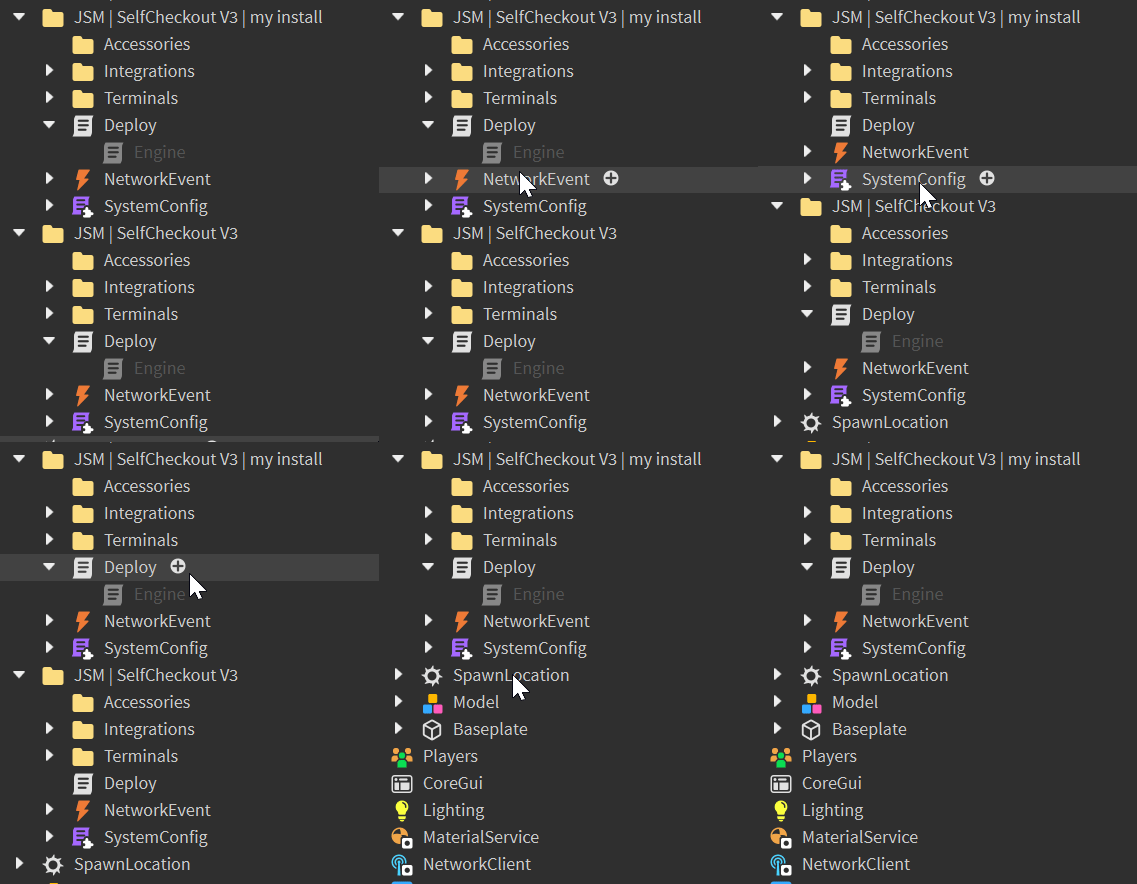
5. Delete the new SCO file
After you've moved the Engine script over, you can delete the new Self Checkout install, as it isn't required.